Prioritize a product backlog together with an impact-effort matrix
You can use Prioritas to turn a backlog of feature requests into priorities your team agrees on. Prioritas reads the notes, images and recordings with AI, then your team agrees what matters on one impact-effort matrix.
Start freeRead the impact-effort guide →
How do you turn a backlog into priorities?
Pick one goal, place each backlog item on the impact-effort matrix with your team, and turn the quick wins and strategic bets into a roadmap you can export.
- Pick one goal for the period you are planning, such as a quarter.
- Add the ideas from your backlog, or run a session where stakeholders add ideas from their phones by scanning a QR code.
- Attach the evidence: customer notes, screenshots, or a short recording (up to 25 MB).
- Place each idea on the matrix, and talk through the ones where people disagree.
- Agree impact and effort together, then turn the quick wins and strategic bets into a roadmap you can export.
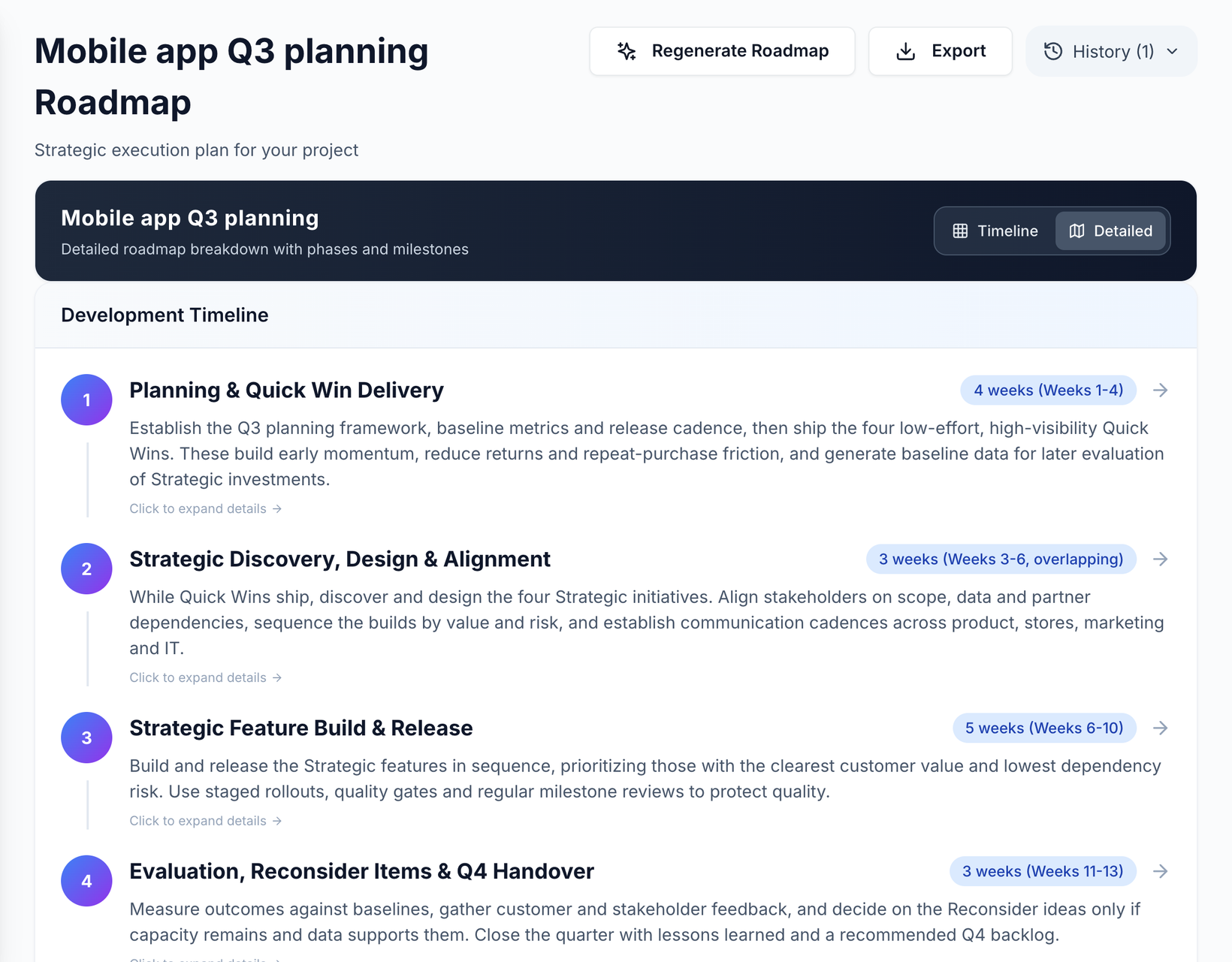
Not sure how to judge impact and effort? How to score impact and effortexplains it with worked examples. Running it as a live session?Run a prioritization workshop.
What evidence can you attach to an idea?
Notes, screenshots, documents and short recordings: what's behind a request, not just its title.
AI can analyze these file types: text, PDFs, images, audio recordings and video. For a photo, a recording, or a text-based PDF, Word (.docx), text or Markdown file, Prioritas turns the ideas in it into cards you choose from. Each extraction uses one AI action, and a document uses one more when it is analyzed on upload. Older .doc files and scanned PDFs can't be read for ideas yet.
Deciding on one matrix
The matrix sorts ideas into four quadrants: Quick wins, Strategic, Reconsider and Avoid.
Other methods score a backlog differently. Intercom's RICE score rates each idea on reach, impact, confidence and effort, with effort dividing the total (Intercom: RICE, simple prioritization for product managers). Nielsen Norman Group describes a prioritization matrix as a two-dimensional visual that compares items on two criteria (Nielsen Norman Group: Using Prioritization Matrices to Inform UX Decisions). The Kano model, from Noriaki Kano and colleagues' 1984 paper, separates must-be quality from attractive quality (Kano et al., Attractive Quality and Must-Be Quality).
- One goal per matrix. An idea can be high impact for one goal and low for another, so give each goal its own matrix.
- Bring the evidence, not just the title. You can attach the customer notes or the call recording behind a request, so the room discusses what users said.
- Count all the effort. Design, review, rollout and support are effort too, not just engineering time.
- Revisit after you learn. When a release or an interview changes what you know, move the ideas it affects.
A worked example: one quarter's backlog
- Say your goal for the quarter is fewer support tickets about returns, and six items are in the backlog: self-serve return labels, a returns status page, a chatbot, a full rebuild of the returns portal, a new FAQ section and dark mode.
- With the support notes attached, the team agrees the return labels and the status page are high impact and low effort, so they go in Quick wins.
- The portal rebuild is high impact but months of work, so it goes in Strategic.
- The chatbot splits the room until someone plays a call recording where customers ask for a person: months of work for an answer they do not want, so it goes in Avoid.
- The FAQ section is cheap but would only help a little, so it sits in Reconsider.
- Dark mode is quick to build but does nothing for this goal, so it also sits in Reconsider for this quarter, even though people like it.
- The roadmap then starts with the two quick wins and plans the rebuild after them.
Who can change the matrix?
Editors can add and move ideas and attach files; viewers can read files and roadmaps but can't add or move ideas in the project. Owners, editors and viewers; every request is checked on the server, never just in the browser.
What are the limits?
- A session takes up to 50 participants.
- A mobile session stays open for an hour.
- Recordings can be up to 25 MB.
- Video is analysed only in the AI Starter, when you start a project on a desktop.
If an idea serves two goals, add it to each goal's matrix: it can be high impact for one and low for the other.
What it costs
The Free plan covers 1 project with 3 team members and 20 AI actions a month. The Team plan covers 10 projects and 15 team members, with no monthly AI limit (hourly rate limits apply), for $29 a month or $290 a year. Session participants who join by QR code do not count as team members.
Questions
Who counts as a team member?
Team members are the people who can open and edit projects. Session participants who join by QR code do not count as team members.
Can stakeholders add ideas without an account?
Yes. People join a session by scanning its QR code and can add ideas straight away. Only the facilitator needs a Prioritas account.
Who can use Prioritas?
Prioritas is for people 18 and over.
Last updated: · By The Prioritas team